📸 ChitraCut — Complete Studio Operator & Field Sales Guide
स्मार्ट फोटो स्टूडियो एवं ऑनलाइन सेंटर गाइड (English | हिन्दी)
🚀 Welcome to ChitraCut / स्वागत है चित्रा-कट में!
"Photoshop ka jhanjhat khatam, 1-Click me customer ka kaam done aur munafa double!"
"No complex Photoshop skills required. Complete customer jobs in seconds and boost your shop's daily earnings!"
ChitraCut is designed specifically for Digital Photo Studios, CSC / Jan Seva Kendra VLEs, Cyber Cafes, Photocopy/Print Shops, and Wedding Photographers. It works 100% Offline directly on your Windows PC—your customer's private photos never leave your machine!
📑 Table of Contents / विषय सूची
- 🖥️ Dashboard Overview / डैशबोर्ड का परिचय
- ✂️ AI Background Remover & Replacer / 1-क्लिक बैकग्राउंड रिमूवल
- 🖨️ AI Print Pro & Photo Sheet Maker / पासपोर्ट व फोटो प्रिंटिंग
- 📄 Document Auto Print & Smart Crop / आधार व पैन कार्ड ऑटो प्रिंट
- 📐 Exam Form Photo & Sign Resizer / सरकारी फॉर्म रीसाइज़र
- 📱 QR & Barcode Generator / क्यूआर व बारकोड मेकर
- 💳 UPI Payment Stand & Sticker Designer / दुकान क्यूआर स्टैंड डिज़ाइनर
- ⚡ AI Jobs & Background Processing / बैकग्राउंड प्रोसेसिंग
- 🗣️ Customer Questions & Operator Sales Pitch / ग्राहक सवाल-जवाब
- ❓ Operator Technical FAQs / ऑपरेटर के सामान्य सवाल
1. 🖥️ Dashboard Overview
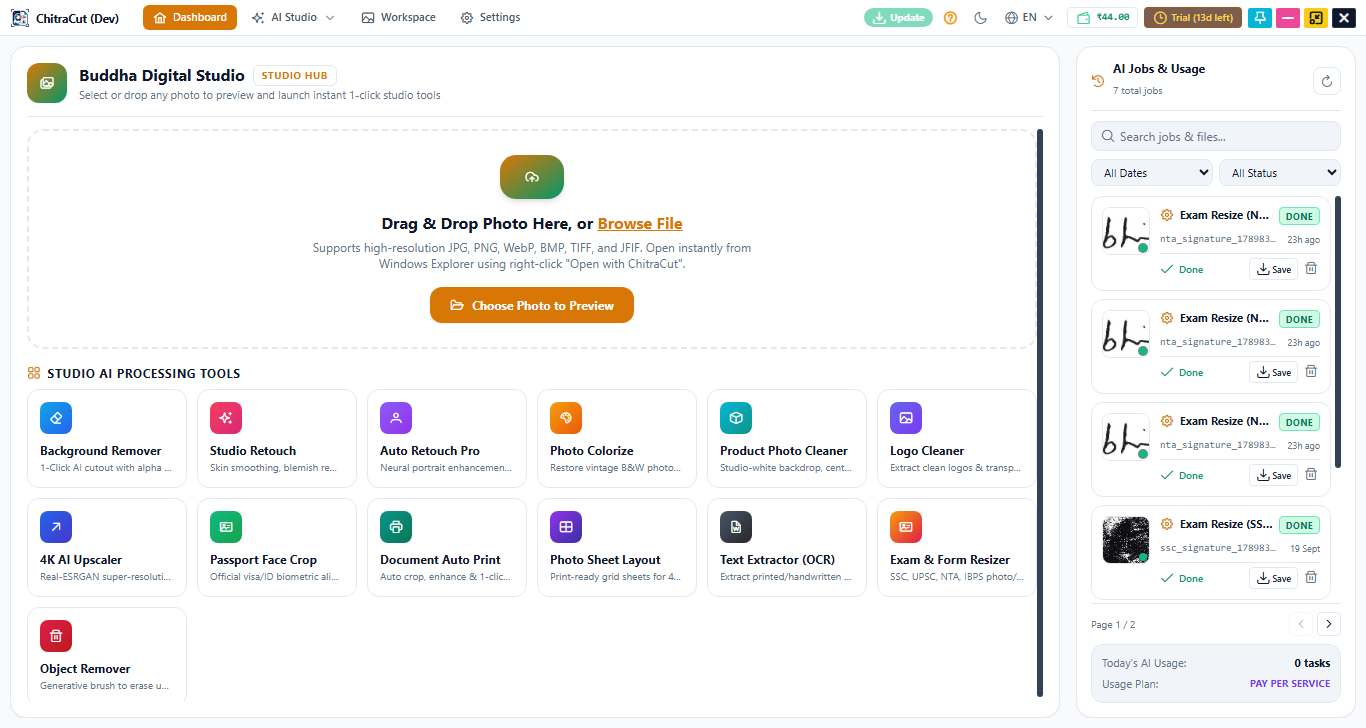
The dashboard is your central command center. Everything you need is available in 1-Click without opening multiple heavy software tools.
🔹 Quick Start Flow / काम शुरू करने का तरीका:
- English: Simply drag & drop any image file onto the workspace or click Open Photo. All recent projects, tools, and processing statuses are visible at a glance.
- हिन्दी: किसी भी फोटो को सीधे सॉफ्टवेयर पर ड्रैग करके छोड़ें (Drag & Drop) या Open Photo पर क्लिक करें। आपका काम तुरंत शुरू हो जाएगा।

2. ✂️ AI Background Remover & Replacer
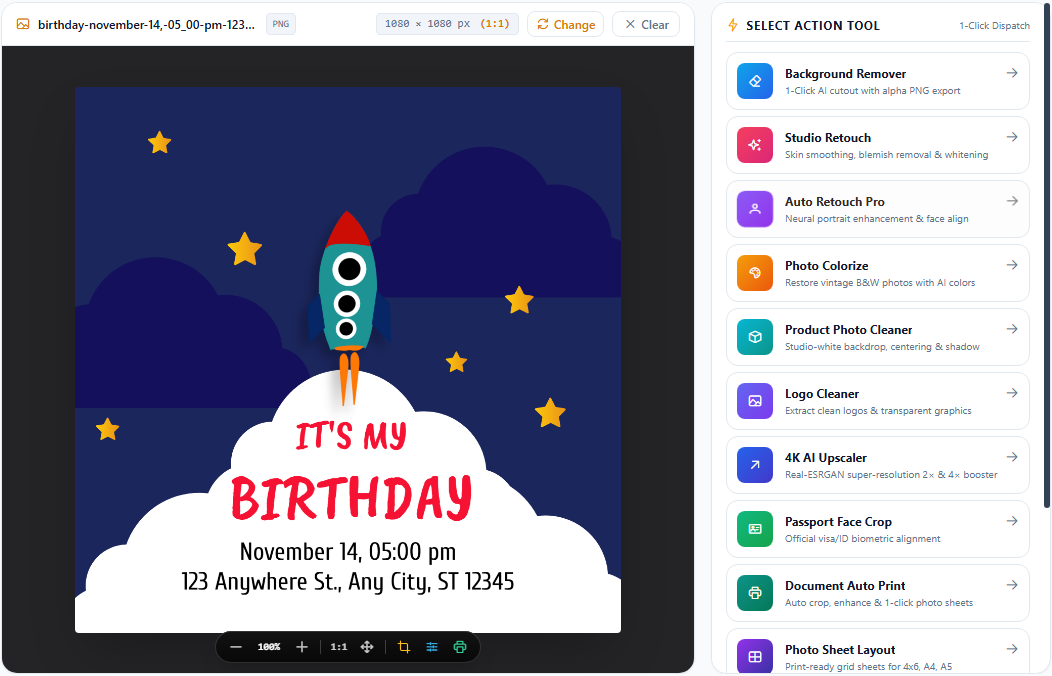
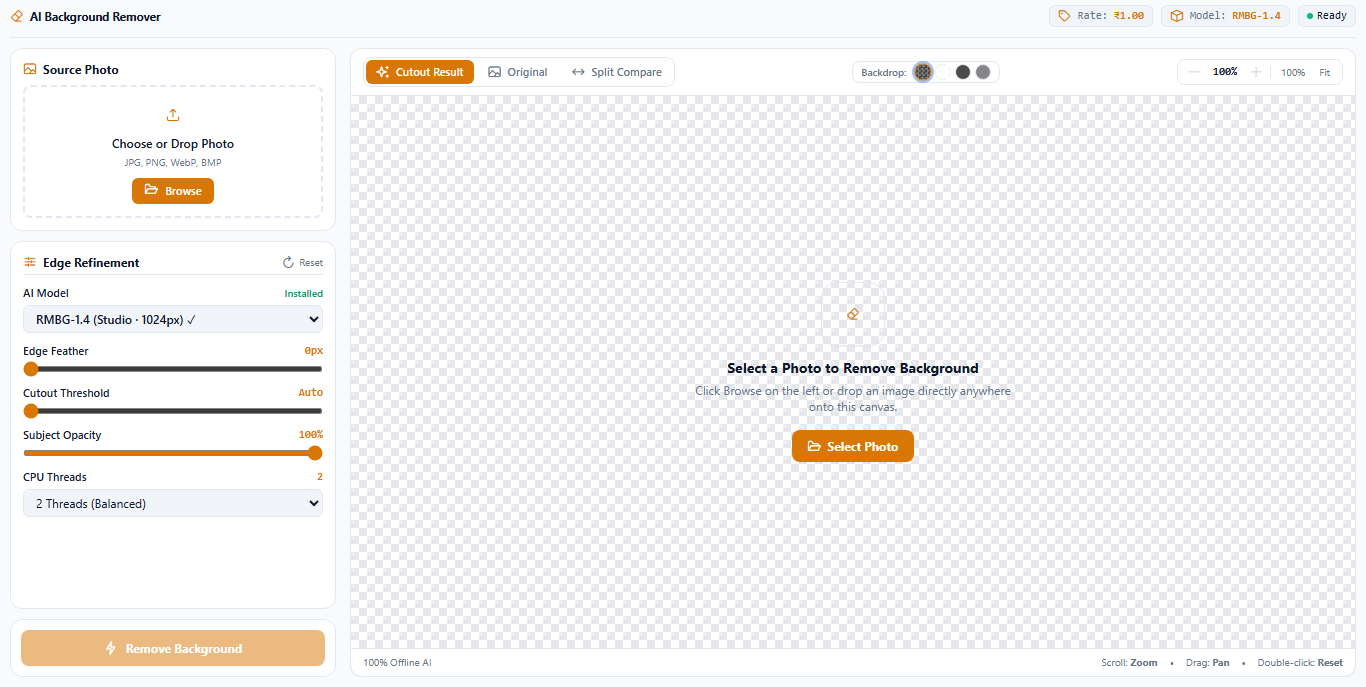
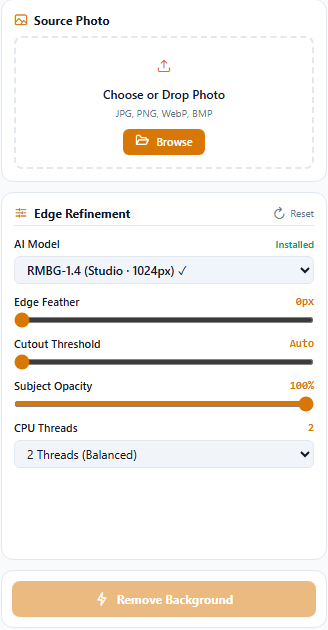
Remove stubborn backgrounds, replace them with studio white/blue/red, or export transparent PNGs with hair-level precision in just 1 Click.
🛠️ Step-by-Step Guide / उपयोग करने की विधि:
- Load Image: Drag your photo or select it from files.
- Auto AI Cut: The AI instantly cuts the foreground with zero manual lasso tool selection.
- Refine & Replace:
- Choose Studio White for official passports.
- Choose Studio Blue / Red / Gray for ID cards.
- Choose Transparent for logos or product shoots.
- 1-Click Export: Save as high-res JPG or PNG.
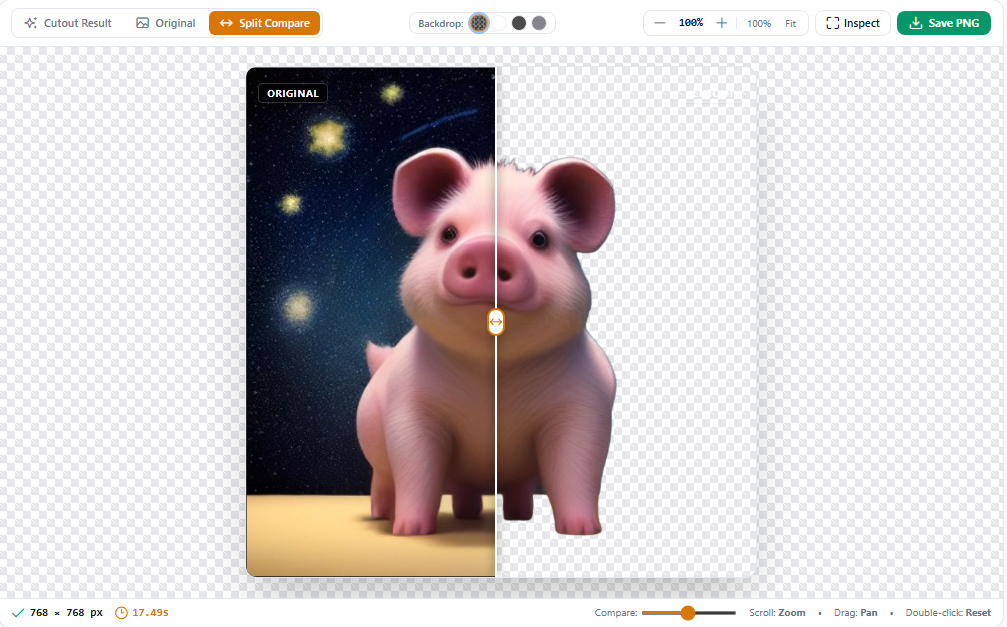
💡 Seller Tip for Shop Owners: "Photoshop me pen tool se cutting karne me 5-10 minute lagte hain. ChitraCut me sirf 2 second me perfect hair edge cut hota hai!"

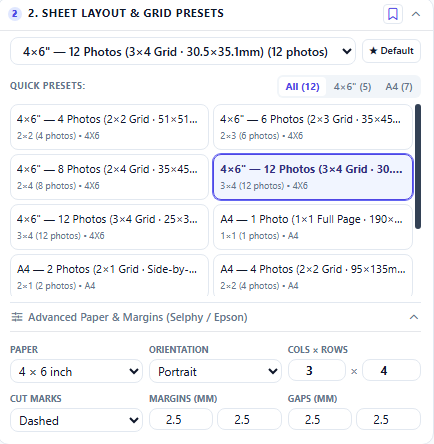
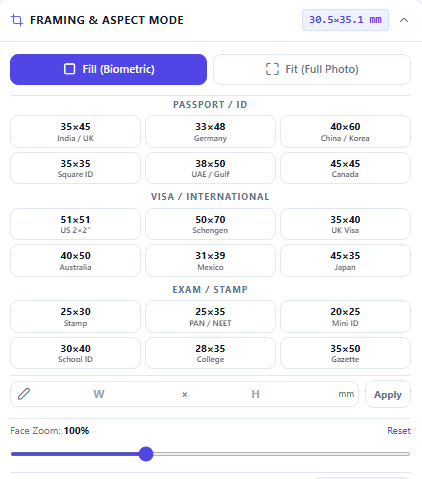
3. 🖨️ AI Print Pro & Photo Sheet Maker
Create instant print-ready passport sheets for 4x6, 5x7, A4, and A5 photo papers.
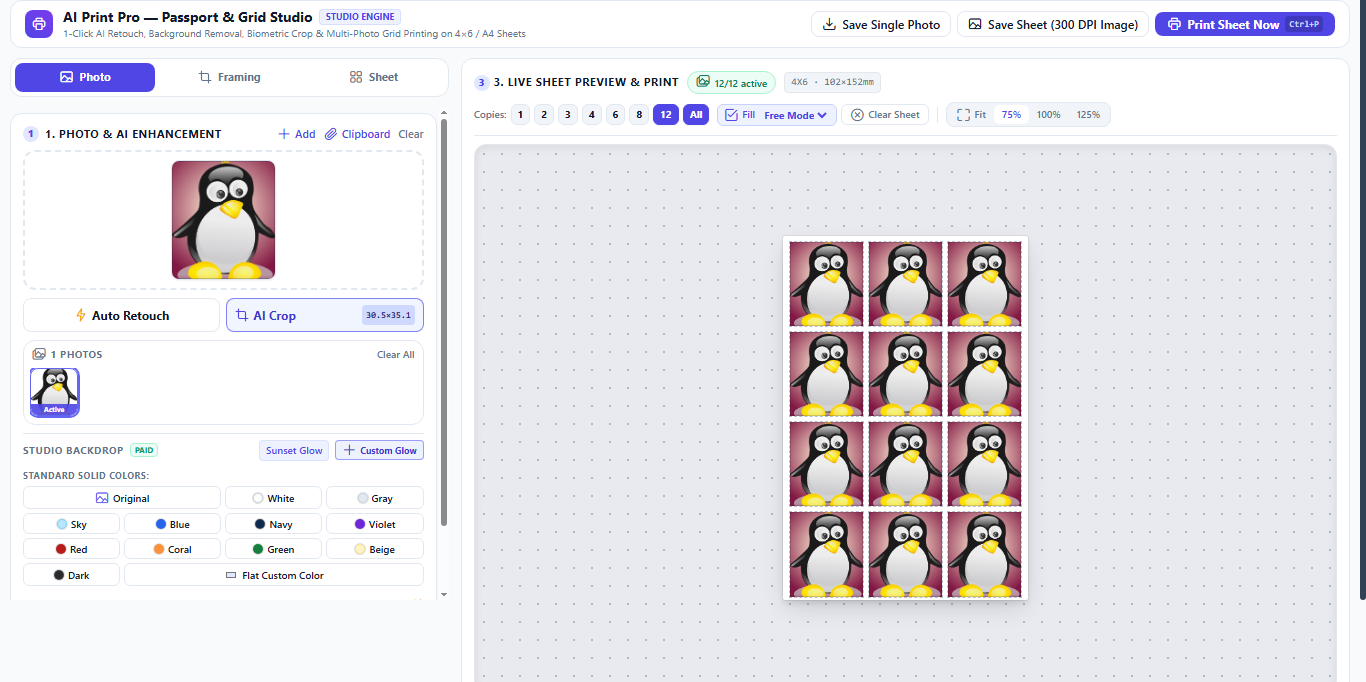
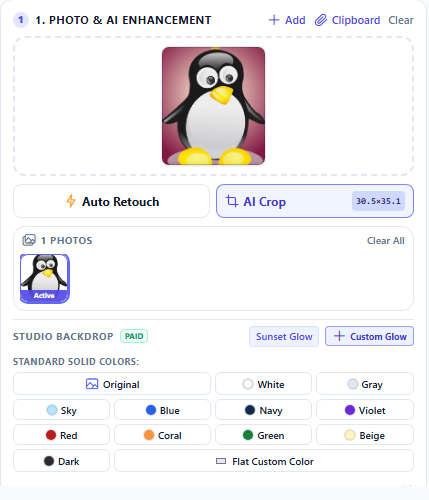
🎛️ Three Dedicated Workflow Tabs:
| Tab Name | English Details | हिन्दी विवरण |
|---|---|---|
| 📸 Photo Tab | Adjust face crop, head ratio, brightness, skin smoothness, and background color. | फोटो का चेहरा सही साइज में क्रॉप करें, ब्राइटनेस और स्किन टोन ठीक करें। |
| 🖨️ Sheet Tab | Select paper size (4x6, A4), number of copies (8, 16, 32), margins, and cutting gap. | पेपर साइज (4x6, A4) और फोटो की संख्या (8, 16, 32) एक क्लिक में सेट करें। |
| 🖼️ Framing Tab | Add professional thin borders, cutting guides, and studio watermarks. | फोटो के चारों तरफ कटिंग बॉर्डर या स्टूडियो का नाम आसानी से जोड़ें। |

4. 📄 Document Auto Print & Smart Crop
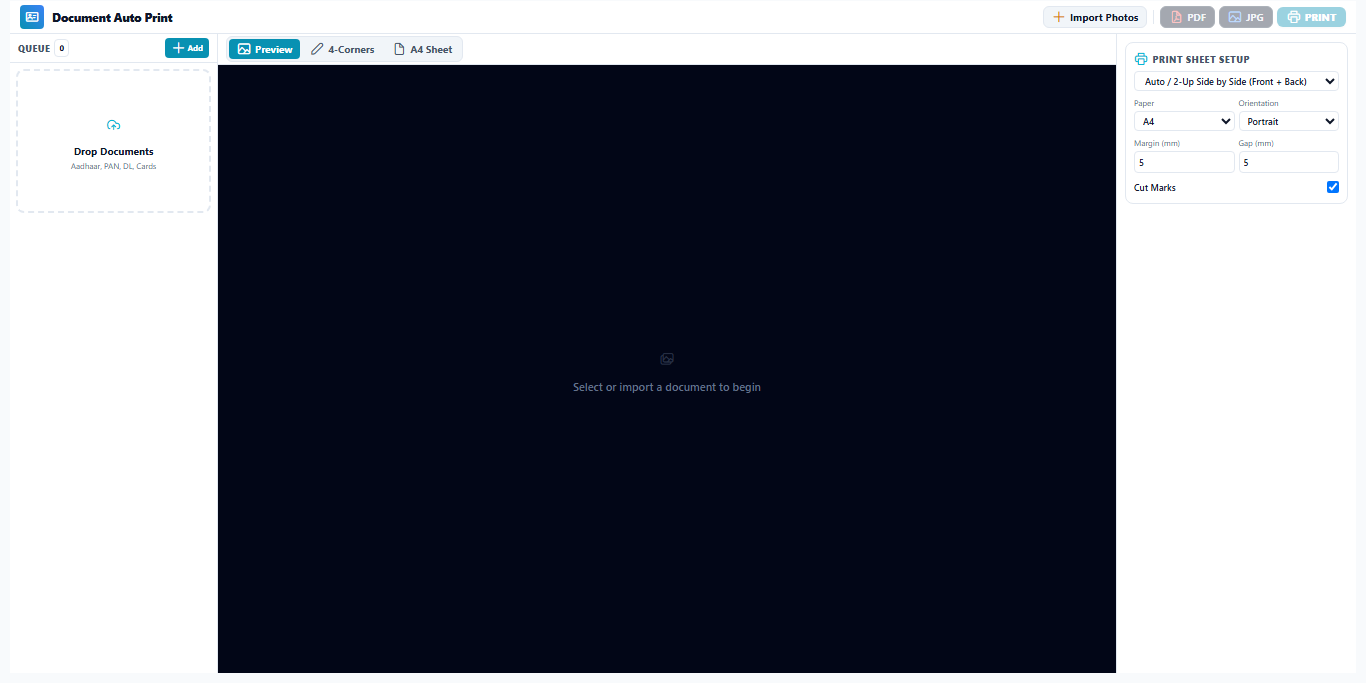
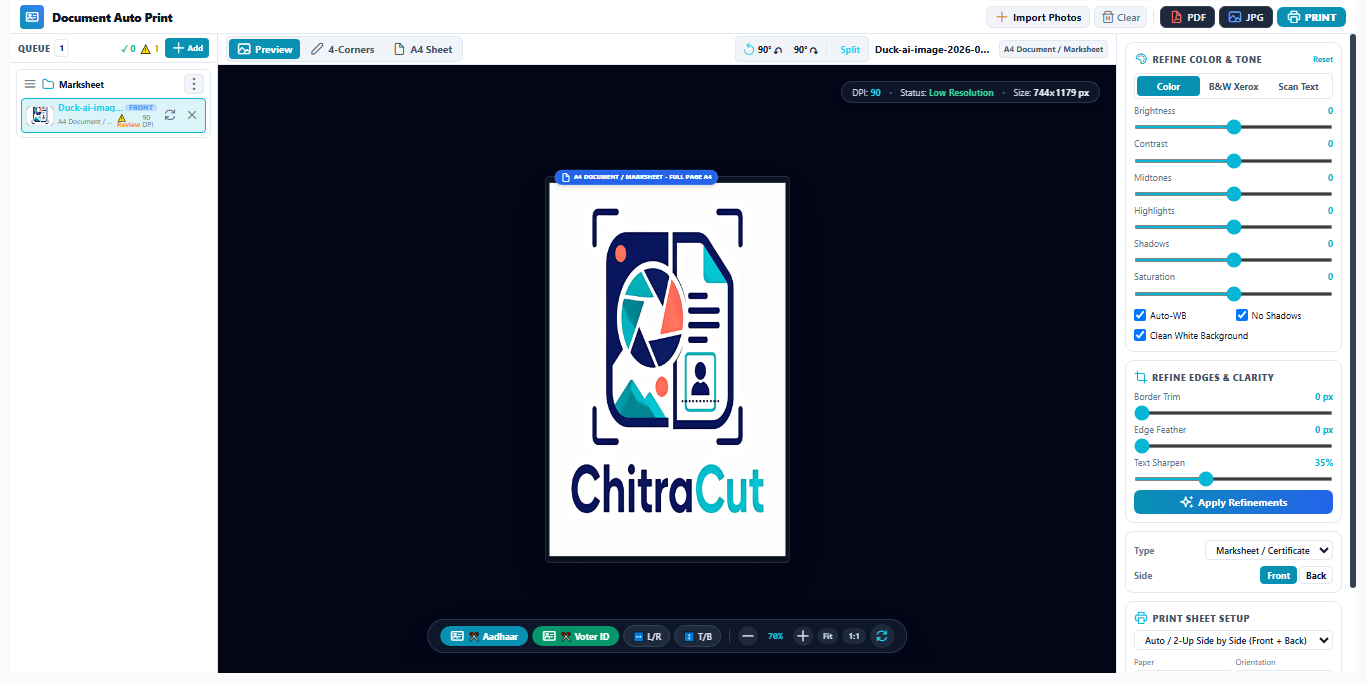
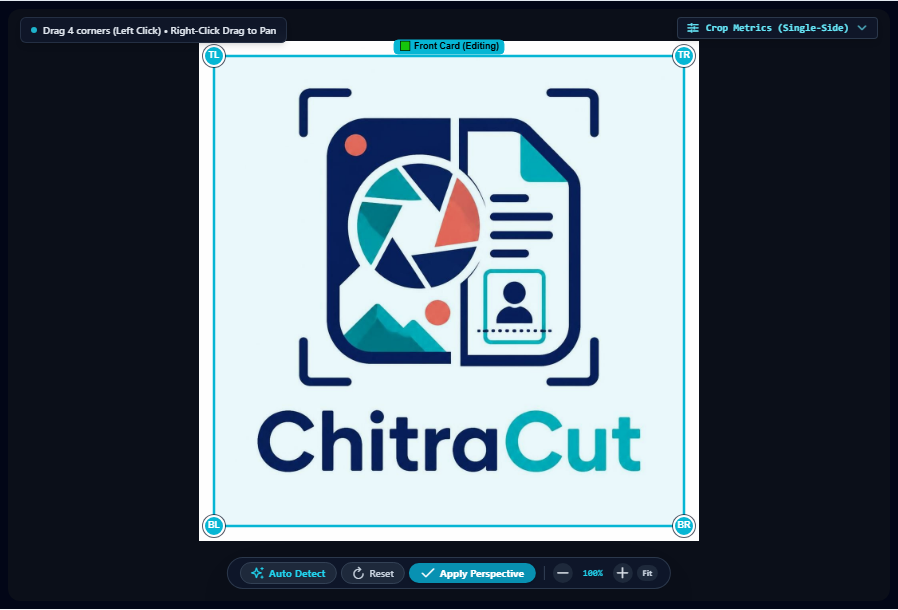
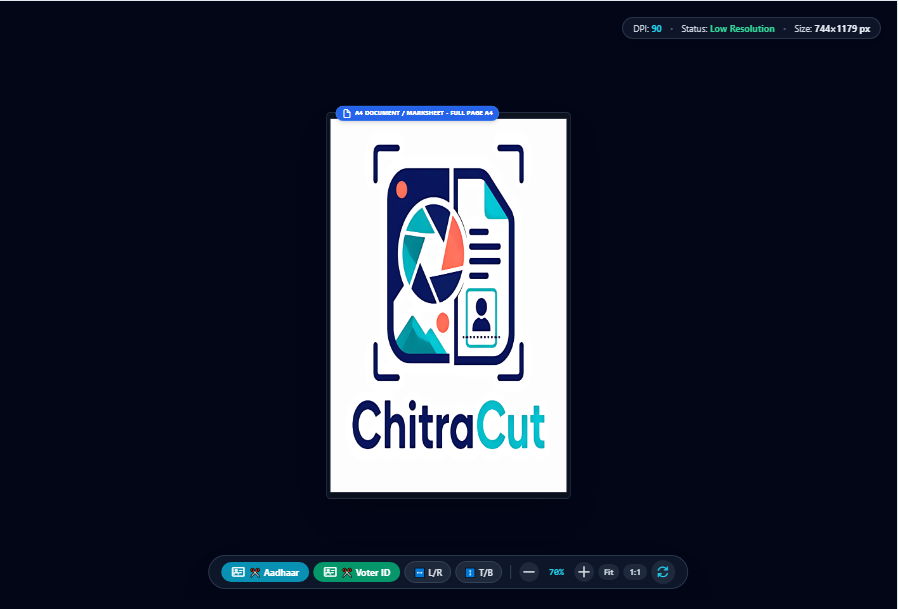
The ultimate feature for CSC, Jan Seva Kendra, and Cyber Cafes! Fix tilted mobile camera photos of Aadhaar, PAN, Voter IDs, and Marksheets in seconds.
🌟 Key Capabilities / मुख्य विशेषताएं:
- 4-Point Corner Pinning (Deskew): Fix crooked camera photos taken by customers on their smartphones.
- Split Front & Back: Automatically place both Front and Back sides of an Aadhaar/Voter card on a single page!
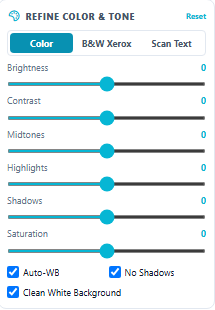
- Color Cleanup & Auto Whitening: Removes dirty shadows and yellow tints from scanned documents to save expensive printer ink.

5. 📐 Exam Form Photo & Sign Resizer
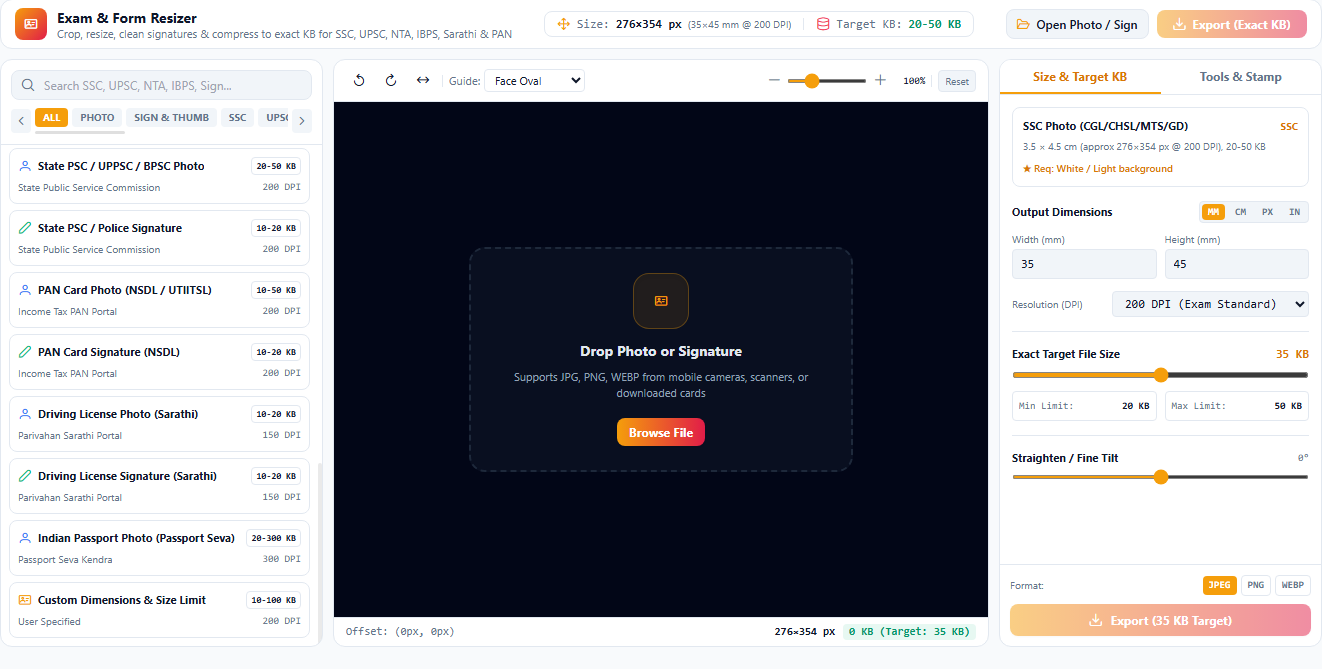
Every government exam portal (SSC, UPSC, Railway, Police, State PSC) demands exact Pixel Dimensions (e.g. 3.5cm x 4.5cm) and strict File Size limits (e.g. exactly 20KB to 50KB).
🚀 How to use / इस्तेमाल कैसे करें:
- Select the target portal preset (or type custom KB limit e.g.
50 KB). - Drop candidate's photo or signature.
- ChitraCut automatically resamples the DPI and compresses without making the face or signature blurry.
- Export and upload directly—Zero rejection guaranteed!

6. 📱 QR & Barcode Generator
Generate scannable QR codes for shop counters, product labels, Wi-Fi passwords, and WhatsApp direct messaging.
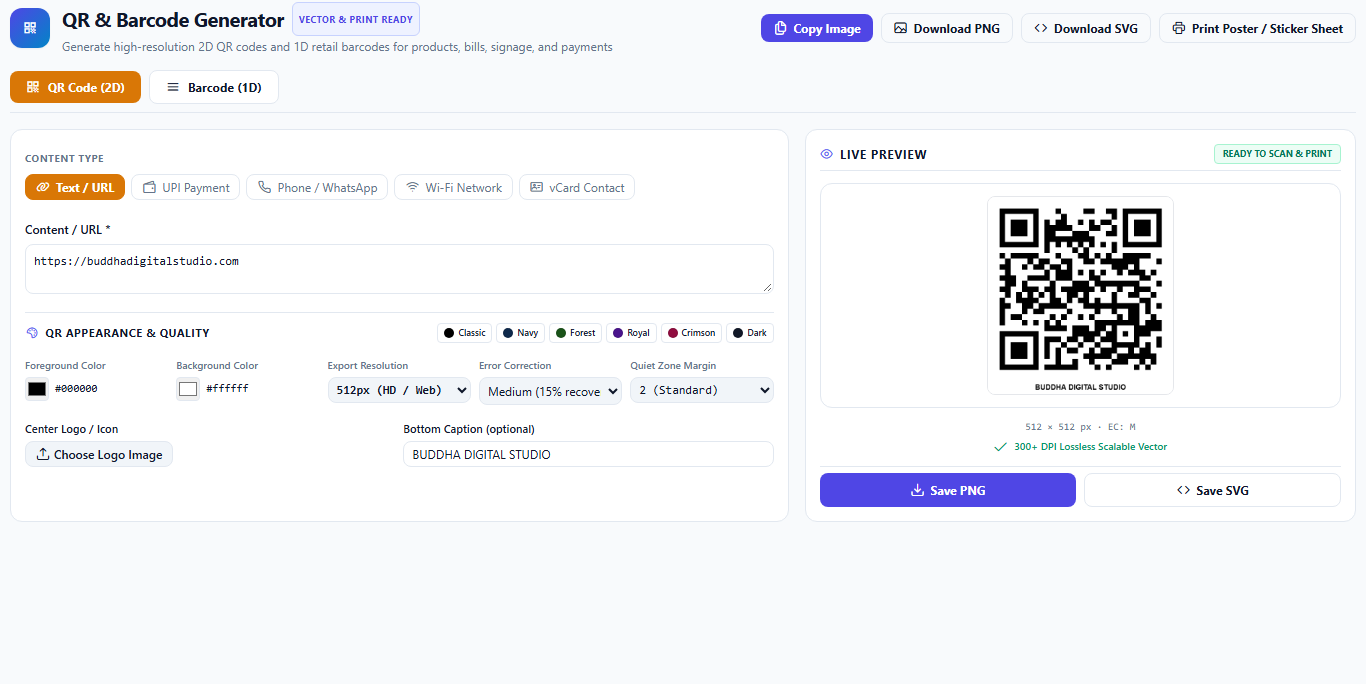
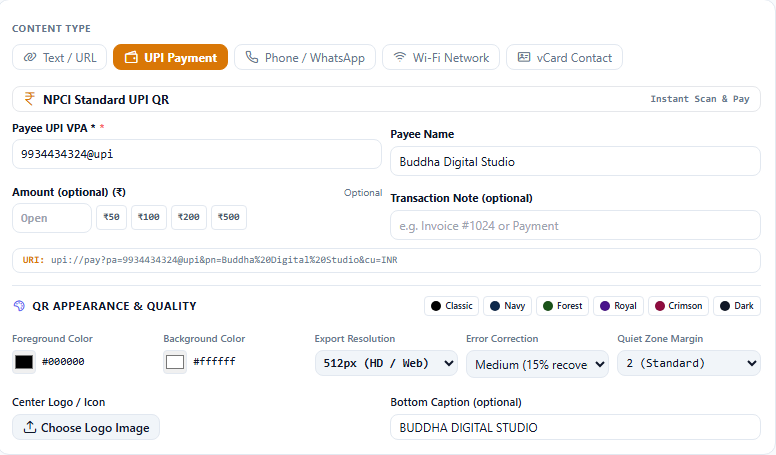
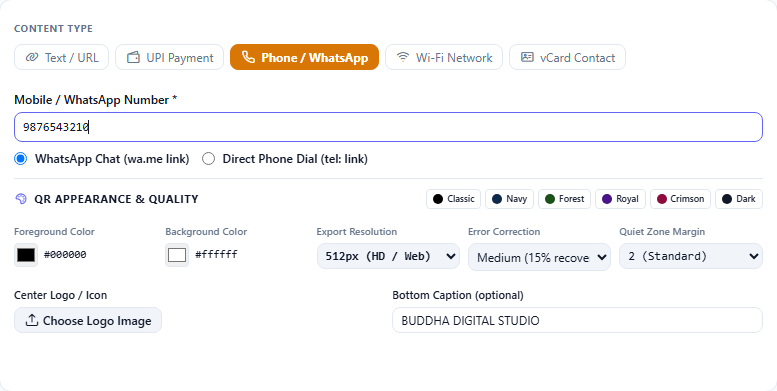
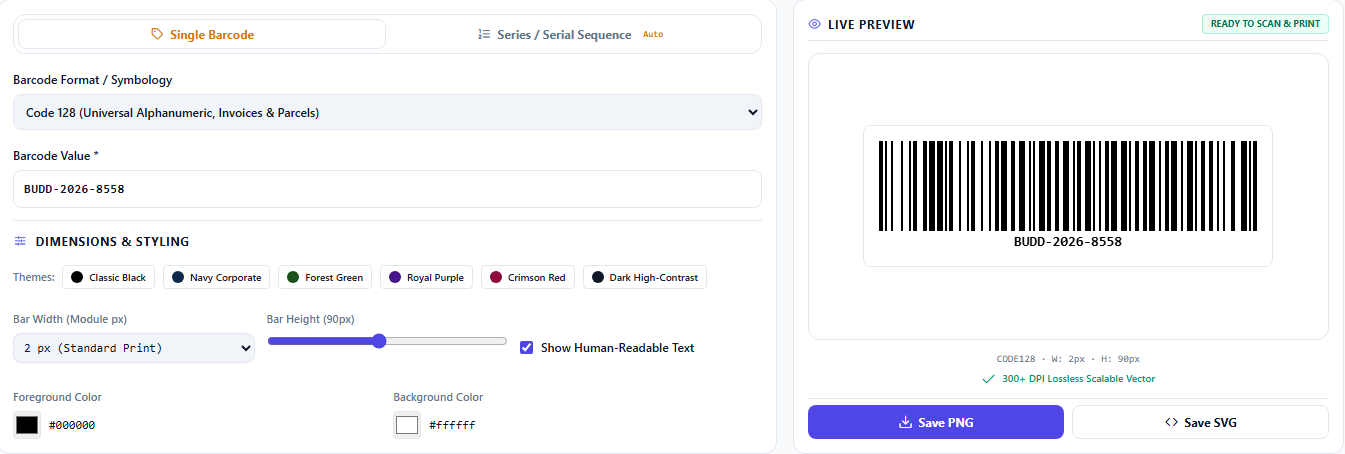
🎯 Supported Formats / सपोर्टेड प्रकार:
- UPI Payment QR: Direct payments to PhonePe, GooglePay, Paytm, or BHIM VPA.
- WhatsApp / Phone: Instant click-to-chat QR code.
- Wi-Fi Network QR: Let customers scan and connect without revealing your password.
- Barcode (Single & Series): EAN-13, Code-128 barcode generator for retail shop items.

7. 💳 UPI Payment Stand & Sticker Designer
Turn your printing shop into a branded merchant supplier! Design and print premium acrylic payment stands and counter stickers for local shopkeepers.
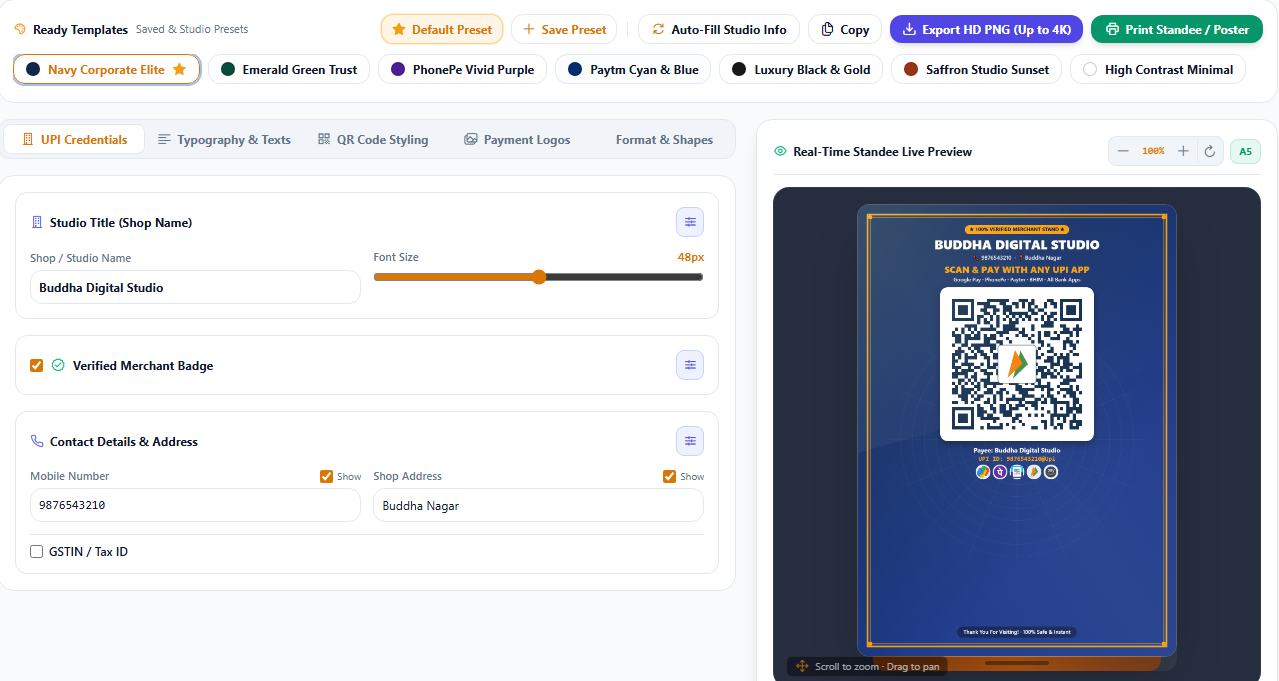
🎨 Customization Controls:
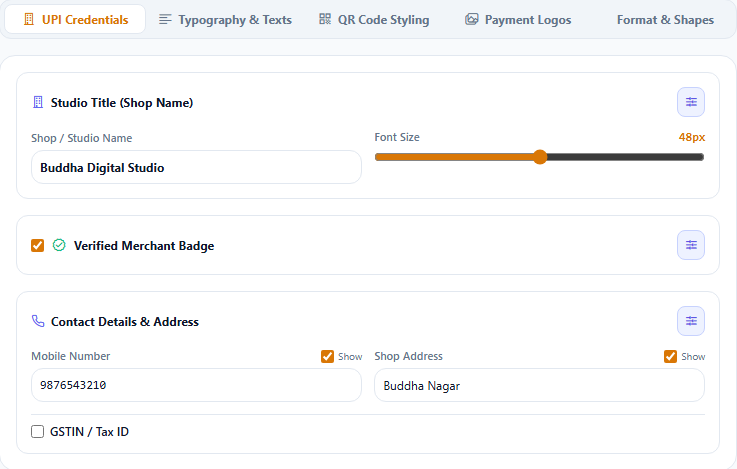
- Credentials Tab: Enter Shop Name, Merchant VPA, and Support Mobile.
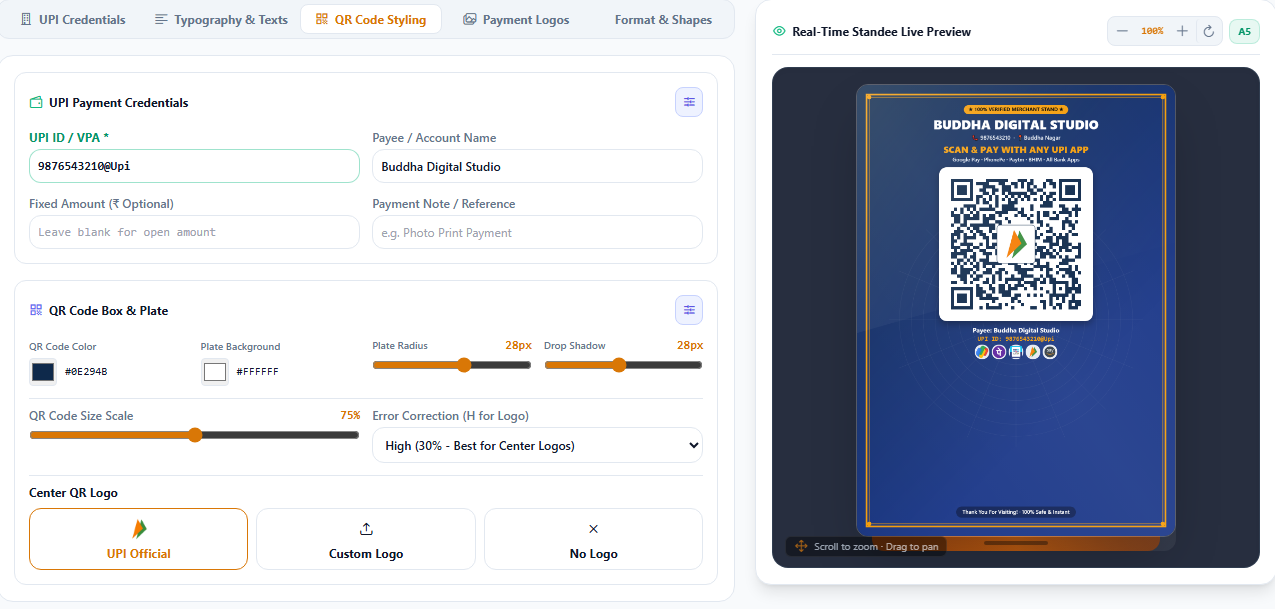
- QR Styling Tab: Change QR colors, corner roundness, and embedded bank logos.
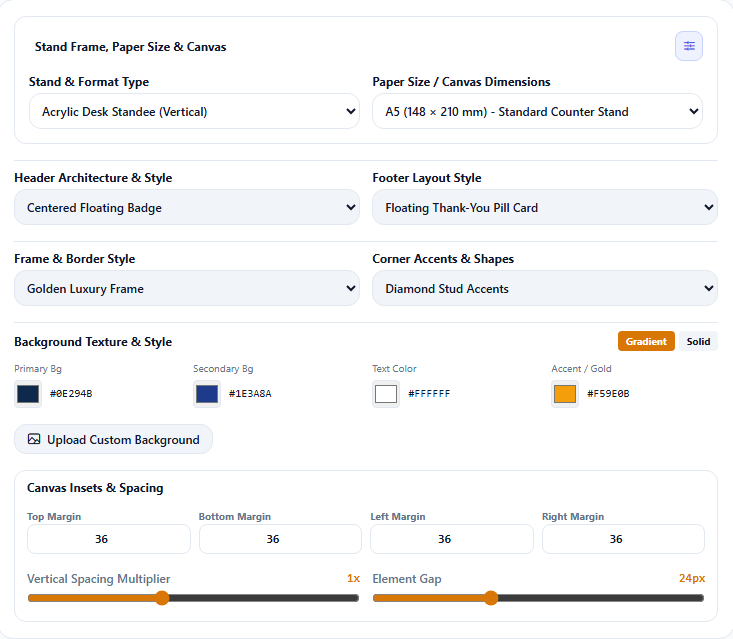
- Typography & Theme: Select vibrant festive or corporate templates.
- Format Tab: Export in 4x6 Acrylic Standee size or A4 sheet stickers.

8. ⚡ AI Jobs & Background Processing
Process hundreds of images simultaneously without freezing your computer.
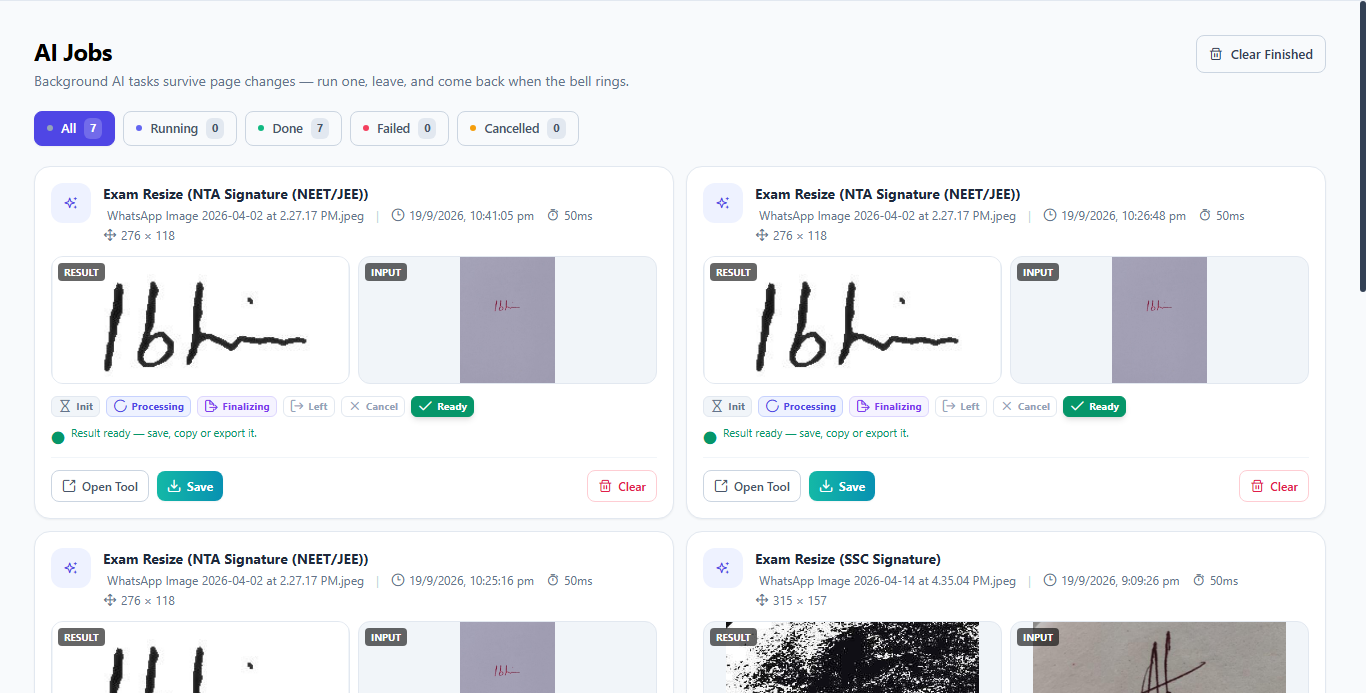
- Non-blocking UI: Continue working on new photos while batch background jobs run smoothly.
- Real-time Status: Monitor completed, processing, and paused jobs with exact time estimations.

9. 🗣️ Customer Questions & Operator Sales Pitch (ग्राहक संवाद)
Here is how you handle real walk-in customers quickly and professionally:
❓ Scenario 1: Urgent Passport Photos (अर्जेंट पासपोर्ट फोटो)
Customer: "Bhaiya jaldi me hu, 2 minute me 8 passport photo mil sakti hai kya?"
Operator Answer: "Haan bilkul bhai sahab! Aap baithiye, ChitraCut me 30 second me background change karke 8 photo ka print nikal raha hu."Action:
- Drag customer camera photo into AI Print Pro.
- Click 1-Click Auto Crop & Enhance.
- Select
4x6 Paper -> 8 Photos. Hit Print!
❓ Scenario 2: Govt Exam Form Photo Size Error (सरकारी फॉर्म फोटो रीसाइज़)
Customer: "Form bhar raha tha, cyber cafe wale ne bola photo 20 se 50 KB aur 350x450 pixel me chahiye, meri photo reject ho rahi hai."
Operator Answer: "Fikar mat kijiye! Hamare paas special Exam Resizer tool hai. Ek click me exact 35KB aur clear quality me generate kar dete hain."Action:
- Open Exam Form Resizer.
- Set target size slider to
35 KB.- Drop photo & signature -> Click Save. Hand over pen-drive or email to customer.
❓ Scenario 3: Crooked Mobile Photo of Aadhaar Card (मोबाइल से खींचा आधार कार्ड)
Customer: "Maine mobile se photo li thi Aadhaar card ki, thoda tedha hai aur peeche andhera aa raha hai, saaf print ho jayega?"
Operator Answer: "Bilkul! Hamara Document Auto Deskew tool iska kona-kona seedha karega aur background ekdum safed kar dega jaise original photocopy ho."Action:
- Open Document Auto Print.
- Adjust 4-Corner pins on the card boundaries.
- Click Auto Whiten & Split. Print on A4.
❓ Scenario 4: Local Shopkeeper wants a QR Standee (दुकानदार के लिए QR स्टैंड)
Customer: "Meri kirana dukan ke liye ek sundar sa PhonePe/GPay wala QR stand print karna hai dukan ke naam ke sath."
Operator Answer: "Aapka UPI ID aur dukan ka naam batayein. 1 minute me color acrylic size standee print ready karke de raha hu."Action:
- Open UPI Stand Designer.
- Fill Shop Name + UPI ID.
- Select 4x6 template and hit Print on photo glossy paper.
10. ❓ Operator Technical FAQs (ऑपरेटर के लिए सामान्य प्रश्न)
Q1. Kya ChitraCut chalane ke liye Internet zaroori hai?
Ans: Nahi! (100% Offline)
ChitraCut ke sabhi AI models (RMBG, Real-ESRGAN, Face Detect, Document Deskew) aapke computer ke local CPU/GPU par chalte hain. Customer ki photos safe rahti hain aur internet band hone par bhi software full speed me chalta hai.
Q2. Kya iske liye heavy gaming graphics card (GPU) chahiye?
Ans: Bilkul nahi. ChitraCut lightweight Rust & ONNX engine par bana hai. Yeh normal Intel Core i3 / i5 aur 4GB/8GB RAM wale normal studio PC par bhi tezi se chalta hai.
Q3. Photoshop ke mukable iska kya fayda hai?
Ans:
- Zero Learning Curve: Kisi operator ko training dene ki zaroorat nahi.
- Super Speed: Jo kaam Photoshop me 10 minute leta hai, yahan 2 second me hota hai.
- Batch Processing: Ek sath 50 photo ka background remove ya photo sheet ready kar sakte hain.
Q4. Photo print hone ke baad blur to nahi aayegi?
Ans: ChitraCut me built-in 300 DPI High-Res Print Engine aur Print Quality Checker hai. Yeh original resolution ko retain karta hai aur edge sharpening karke crisp print nikalta hai.
💼 Field Sales Summary (सेल्समेन का वादा)
"ChitraCut photo studio aur online center ke daily kaam ko 10 guna tez banata hai. Kam samay, zyada customer, aur behtar munafa!"
Community Discussions 0
Ask questions, share step solutions, or discuss software workflows with other professionals.
Join the Community Discussion
Got stuck on a step or have a question about this configuration? Sign in to join the discussion and receive direct advice from instructors and peers.
No Discussions Yet
Have a question or found a clever tip for this guide? Start the conversation using the comment box above!